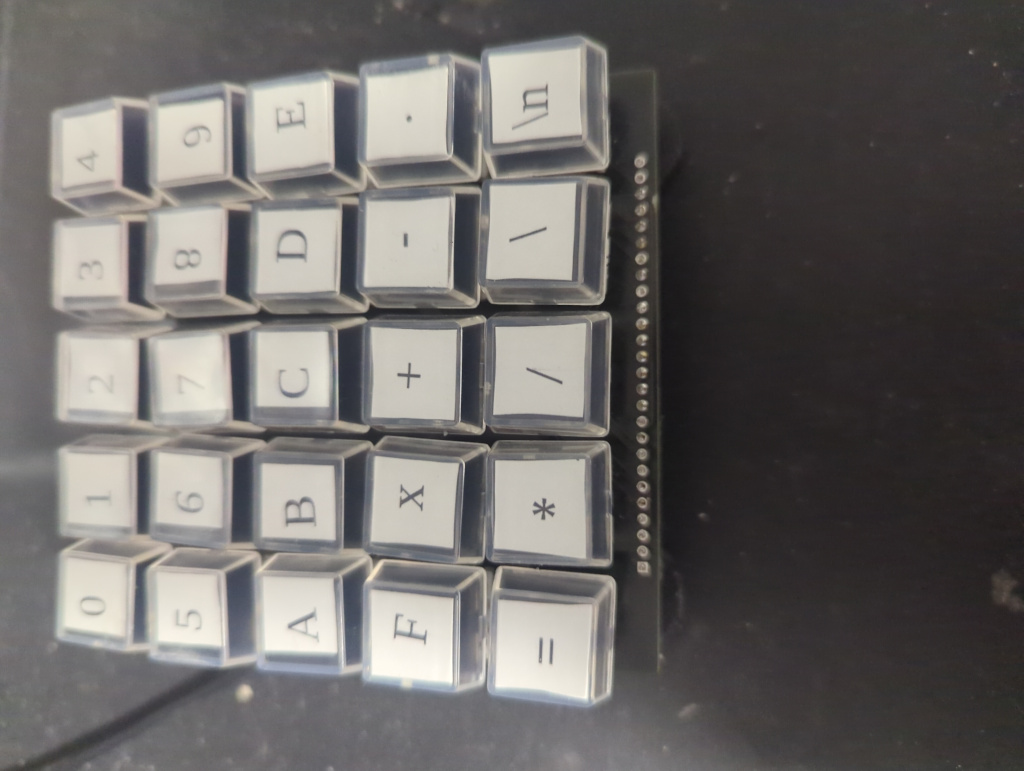
I had to type in a lot of hex characters recently and I wanted a better way to do it. When typing number I prefer the numpad. So I decided to make a hex keypad.
My first though was to use an RPI pico or another micro board. The libraries to do USB HID are pretty easy to use nowadays. However I have had issues with these libraries on my Linux machine, often after coming out of standby they disconnect. I did not feel like coding or figuring out the issues I was having with Linux talking to USB micros (probably udev rules). So I took a simpler solution.
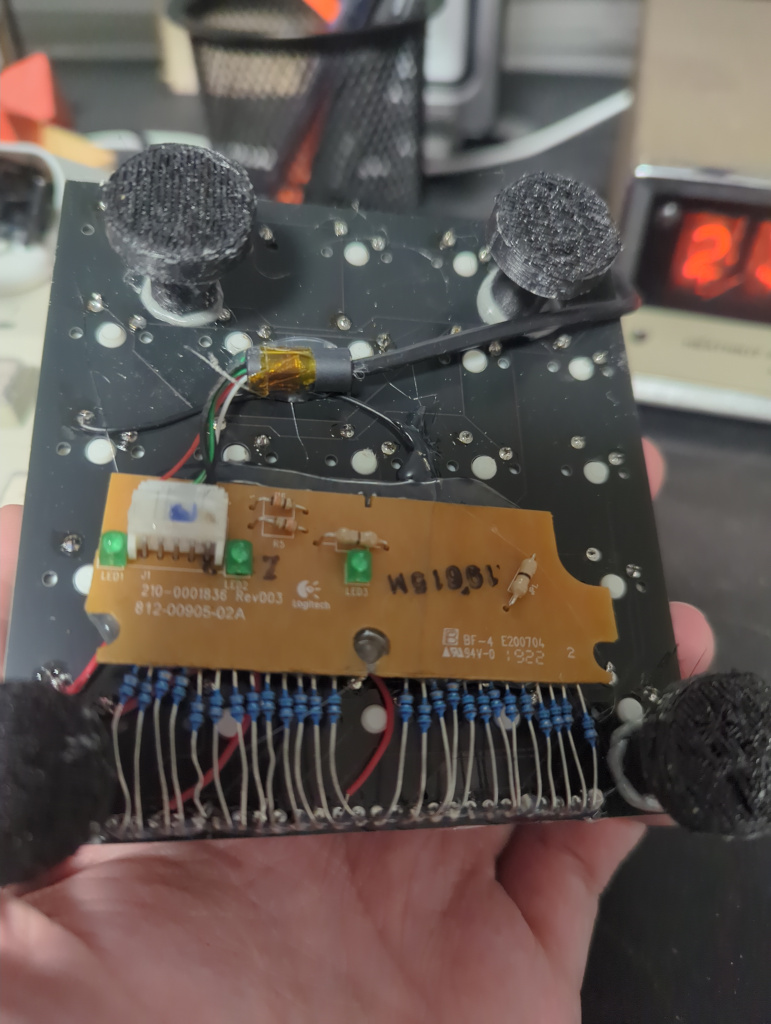
I grabbed a keyboard that was being thrown out at my place of work, a standard cheap Logitech keyboard. I removed the control electronics and tossed the rest. I knew this control board will work without issue. The control board is the only major electronic component in a cheap keyboard. The rest is just an array of membrane switches. So by plugging it in and shorting all combinations of pins I was able to note the combinations needed to get 0-9,a-f,x and enter (and a few others). This took a bout 30 minutes, which is not bad. Once I had this worked out I got a cheap PCB from JLC with an 5x5 grid of Cherry MX switches on it, then wired the PCB to the switches. It was necessary to sand off the layer of black resistive compound from the contacts on the keyboard PCB. This stuff is slightly cheaper to put down than soldering on a separate resistor. It worked perfectly and no compatibility issues. It would be more flexible and maybe even easier to use a micro, but I didn’t feel like coding or spending money on an actual macropad and I stuck to that.
I will probably find some proper keycaps at some point. I had the transparent ones left over so I made do. Sometimes it is fun to do things a less conventional way. The bottom is a bit of a mess, I should probably print a proper case, but I also don't look at the bottom